

When a utility looks at a new SCADA system, one number gets all the attention. The price on the proposal.
That makes sense. It is concrete. It fits in a capital budget. It gives the board something to compare across bids.
But the SCADA system cost printed on a proposal is the purchase price. It is not what the system costs to own.
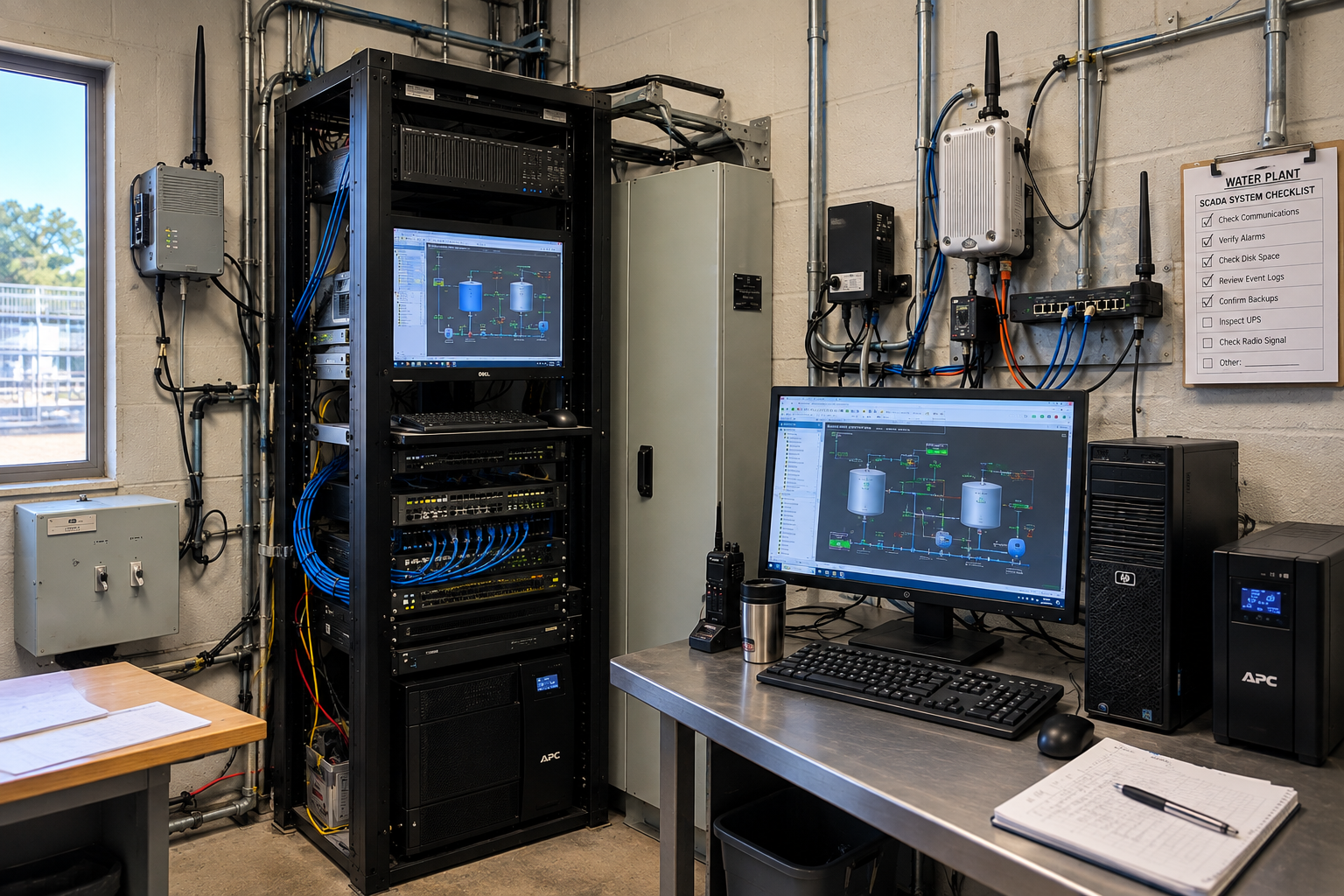
Behind on-premise SCADA software sits a list of things the quote may not itemize: servers, communication equipment, remote access tools, backup systems, security, licensing, IT support, and hardware that eventually wears out and gets replaced. Some of it lands in the project budget. The rest shows up later as an operating expense.
Either way, the utility pays for it.
That matters most for small systems, where every capital dollar and every staff hour is already spoken for.
So the better question is not “how much does this SCADA system cost?“
It is this: what will it cost us to run this system for the next five years?
Here is what belongs in that number, and a checklist for building it before you approve anything.
What a SCADA Quote Actually Leaves Out
A traditional on-premise SCADA install is not just software. It is a system, and every piece of that system has a price.
What that list looks like depends on your architecture. For most utilities, it falls into two buckets.
At the plant, you are buying and maintaining:
- Servers and hard drives
- Operating systems and licensing
- Backup batteries and power supplies
- VPNs and remote access tools
- Internet connectivity
- Messaging and alert services
- Ongoing security
Between the plant and your remote sites, you may also need:
- Radios
- Backhauls and repeater sites (the equipment that relays a signal when a site is too far away to reach directly)
- Towers
- Network switches
- Power supplies and solar equipment
- Cooling systems
Some of that lands in the original project budget. The rest shows up later as an operating expense, which is why it is easy to miss when two bids are sitting side by side.
That is the problem with comparing systems on purchase price alone. A lower number on day one does not mean a lower-cost system over its life. It sometimes means the other bid was more honest about what the system actually requires.
Every Piece of That Hardware Has an Expiration Date
The easiest cost to miss is the one that arrives years after the project closes.
A server installed today will need attention eventually, and replacement after that. Hard drives fail. Batteries lose capacity. Power supplies quit. Radios and communication gear take weather, lightning, and the occasional truck. Operating systems and security software need updates for as long as the system runs.
The timing is not random. Concentric Integration, a water and wastewater systems integrator, has described the pattern as a server refresh around every five years, with control hardware like PLCs and telemetry running closer to fifteen. The reason is unglamorous. Servers fall out of warranty and replacement parts get scarce.
That gap matters. The shortest-lived piece of the system is the one everything else depends on.
Even equipment built to last carries a replacement bill with a date on it. Every physical component in the architecture is one more thing somebody has to maintain, and one more line item that comes back around.
For a utility building a five-year SCADA budget, depreciation and replacement are not footnotes. They belong in the original math, which means asking a few questions before the purchase order goes out. How long is each major component expected to stay in service? What does it cost to replace when it goes? Who maintains it in the meantime, and how many staff or contractor hours does that take? And when that piece gets replaced, what else has to be touched to keep it working?
A budget built around the purchase price alone will not surface any of that. The costs are still coming. They just stay invisible until the day they are not.
What Does a SCADA System Cost in Staff Hours?
More than most utilities budget for, and none of it shows up on the invoice.
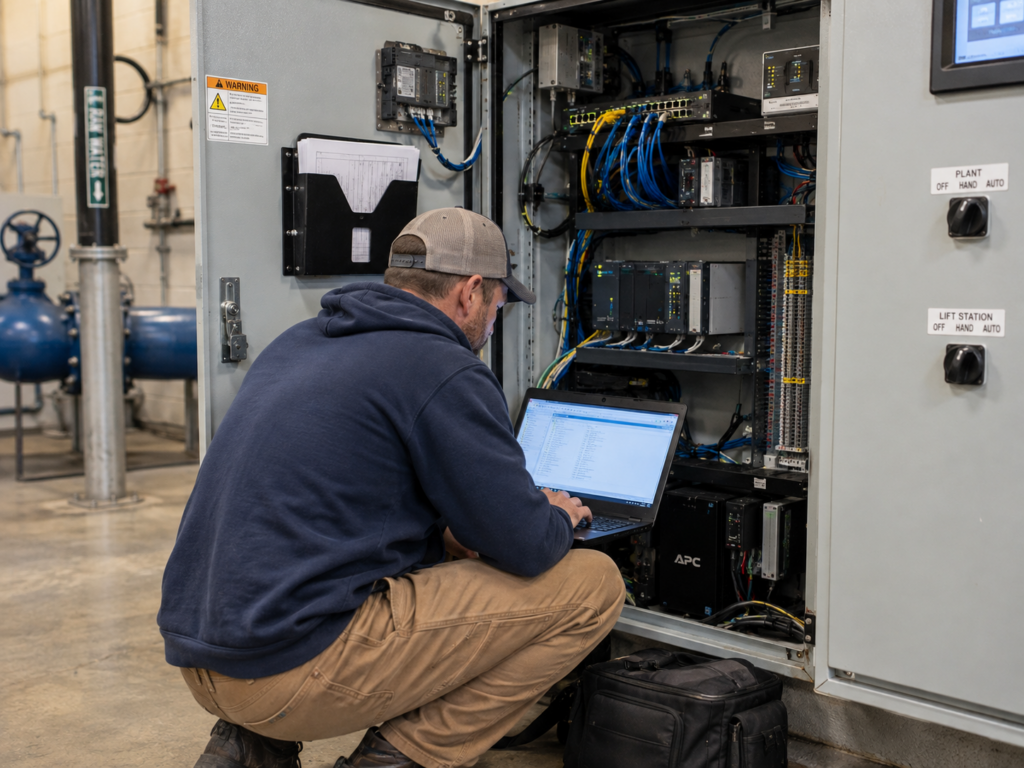
Hardware is not the only thing with a lifecycle. The system needs people too, and those hours carry a price whether or not anybody tracks them.
The Support You Pay For
A traditional on-premise system needs ongoing technical attention:
- Software upgrades
- Security patches
- Operating system maintenance
- Troubleshooting when something stops talking
Some utilities cover that with an outside IT agreement. Others lean on internal staff. Either way it is a real line item, and it comes back every year the system is running.
The Support Nobody Bills For
The harder cost to see is the one that never gets invoiced.
An operator troubleshooting a communication problem is not operating the plant. A utility employee chasing a server issue, a VPN that dropped, or a radio that quit is doing work that has very little to do with why they got into the water profession.
Those hours are not free. They are just uncounted.
Why It Hits Small Crews Hardest
On a small crew, there is no spare person to hand the problem to.
A larger utility can absorb a bad afternoon because somebody else covers the plant. A two-person system cannot. Every hour spent keeping the SCADA system alive is an hour pulled off something else that also needed doing, and the list of things that needed doing does not get shorter.
That is why labor belongs in the SCADA total cost of ownership, even though it never shows up on a SCADA invoice.
Why Small Water Systems Pay for Capacity They Never Use
The math gets worse as the system gets smaller, and not for the reason most people assume.
The problem is not that small utilities buy features they never touch. In most cases they need everything on the list. A system that monitors two lift stations still needs alarms, still needs remote access, still needs somewhere for the data to live. The problem is that the supporting pieces come in sizes, and the smallest available size is usually far bigger than a small system requires.
A server has a capacity. So does a messaging platform, a licensing tier, a backup scheme. A utility serving 1,200 people might use a sliver of what any one of those provides, and still pay to buy it, power it, secure it, and replace it on schedule. The capacity goes unused. The bill does not.
It is a little like needing one office and having to buy the whole building, because the building is the smallest thing for sale.
That is not a rare situation. It is most of the country. The Congressional Research Service reports that roughly 91% of the nearly 50,000 community water systems in the US serve 10,000 people or fewer. The overwhelming majority of water systems in America are small ones, buying infrastructure priced for systems much larger than they are.
And the cost lands harder the smaller you get, because the same equipment gets spread across fewer connections. A server costs what a server costs whether it supports 40,000 ratepayers or 400. One of those utilities has a much easier time absorbing it.
Why a Subscription Can Change the Math
The assumption that owning is always cheaper than subscribing deserves a harder look, because it depends entirely on what you are buying and how much of it you actually need.
Sharing the Infrastructure Spreads the Cost
When infrastructure is shared across many utilities, the sizing problem from the last section mostly goes away.
Instead of every system purchasing its own server, database resources, supporting hardware, and IT capability, those costs get spread across everyone using them. Each utility carries the portion it actually needs instead of rebuilding the entire ecosystem by itself. A serverless setup built around municipal water systems is sized for the utility rather than the other way around.
This is not an exotic idea. Buying in volume lowers unit cost in nearly every industry there is. Shared technology infrastructure applies the same principle to SCADA.
Sharing the Expertise Does Too
The second thing that gets spread out is knowledge.
Rather than a few hundred small utilities each independently maintaining every supporting service, patching every operating system, and troubleshooting every failed connection, the provider maintains one environment and does it full time. That is a different economic arrangement than a one-person plant learning server administration on a Tuesday afternoon.
It also changes who is responsible when something breaks, which is worth knowing before you sign either kind of agreement.
The Comparison That Actually Matters
None of this means a subscription is automatically the cheaper option. For some systems it is not, and any vendor telling you otherwise is selling rather than advising.
What it means is that the comparison most utilities run is the wrong one. The question is not subscription versus ownership. It is the total cost of one architecture versus the total cost of another, measured over the same span of years, with every supporting piece counted on both sides.
Run it that way and the answer is whatever the math says. Run it on purchase price and you will not know which system you actually bought until the fourth year.
How to Calculate SCADA Total Cost of Ownership Over Five Years
A real SCADA total cost of ownership model is not complicated. It is just longer than most proposals.
Before signing off on any system, price out all seven of these over a five-year window, for every option on the table:
- The system itself. The number on the proposal, including installation and configuration.
- Supporting hardware and communications. Servers, drives, batteries, power supplies, switches, radios, repeaters, towers, solar, cooling. Everything the system needs in order to be a system.
- Software and licensing renewals. What comes due in year two, and what it costs when it does.
- Connectivity and services. Internet, messaging, alerting, remote access. The recurring pieces that rarely appear on a capital quote.
- IT and cybersecurity support. Whether that is an outside agreement or internal staff time, put a dollar figure on it.
- Maintenance labor. Estimate the hours honestly, including the ones your operators absorb without logging.
- Repair and replacement. Assume the server gets replaced inside the window. Price the refresh now instead of discovering it in year five.
Run that on every proposal and the comparison finally means something.
A system that looks expensive on day one can be the cheaper system by year five. A system that looks inexpensive up front can quietly collect costs through infrastructure, maintenance, and support until it is the more expensive one.
There is no single answer that fits every utility or every architecture. There is one question worth asking before approving anything: is this the simplest, most reliable, most cost-effective way to do what the utility needs, without piling more work on the people who run it?
The Number That Actually Matters
The proposal is not the problem. Treating it as the whole number is.
A SCADA system cost has two parts: the price you agree to, and everything the system quietly requires for as long as you run it. Servers that age out. Radios that fail. Licenses that renew. Hours your operators spend on work that has nothing to do with water.
Price all of it, across five years, for every option in front of you.
The number printed on the proposal is the purchase price. The number that matters is what it takes to keep the system running.
Frequently Asked Questions About SCADA System Cost
What does a SCADA system cost?
There is no list price. SCADA system cost depends on how many sites you monitor, how they communicate, what already exists on site, and which architecture you choose. The proposal price also is not the full number. Supporting hardware, connectivity, licensing, IT support, and eventual replacement all belong in the total.
What is the total cost of ownership of a SCADA system?
Total cost of ownership is what the system costs across its useful life, not just at purchase. For most utilities that means seven categories: the system itself, supporting hardware and communications, licensing renewals, connectivity and services, IT and cybersecurity support, maintenance labor, and eventual repair or replacement.
What hidden costs are behind a SCADA quote?
The most commonly missed items are servers and drives, backup batteries and power supplies, VPNs and remote access, internet and messaging services, network switches, radios, repeaters, towers, solar equipment, and cooling. Some appear in the project budget. The rest surface later as operating expenses.
How often do SCADA servers need to be replaced?
Water and wastewater integrator Concentric Integration has described a refresh cycle of roughly every five years for SCADA servers, with control hardware such as PLCs and telemetry running closer to fifteen. Servers fall out of warranty and replacement parts become harder to source.
Is a subscription cheaper than an on-premise SCADA system?
Not automatically. It depends on how much infrastructure a utility would otherwise buy and maintain alone. The useful comparison is not subscription versus ownership. It is the total cost of one architecture versus another, measured over the same number of years with every supporting piece counted on both sides.
What should a small water utility include in a SCADA budget?
The system itself, supporting hardware and communications, licensing renewals, connectivity and services, IT and cybersecurity support, maintenance labor, and eventual repair or replacement, each priced across five years for every option being considered. Small systems especially should account for capacity they will not use, since supporting infrastructure often comes in minimum sizes far larger than a small utility needs. More answers are in the SCADA FAQs for water and wastewater.
See Your Five Year SCADA Cost Without a Server
Most utilities discover the real cost of a SCADA system somewhere around year four. Running the five-year number first is how you avoid that.
If you want to see what the math looks like without a server, a VPN, or an IT agreement in it, SimpliScada is built for small and mid-size water systems, with the hardware, maintenance, and support included in one subscription. The company publishes a starting point of around $5,000 for a complete system.
Book a Free Demo and bring your current proposal. Or start a 90-day free trial and run the comparison yourself.